This thread is for BETA discussion.
thanks Robert.
what version mac os are you running?
and what are you using? logic, ableton etc?
Mac Mini with Sonoma 14.8.5
Logic Pro v. 11.1.1
1 Like
Fixed, new beta uploaded
1 Like
For the Mac version standalone, there’s no standard “quit” in the Menu. One can close the program by just closing the window though. Can’t wait to explore from here! Thanks Brad!
Thanks for the updated plugin. Has been running smoothly since I got home. 
Proposals about the GUI:
Extend the blue backgrounds 1 cm. to the left, to incorporate LFO1 and PITCH (env.) boxes. Or is it too crowded then? The current space between the sections is nice.
Possible to add a dot or other symbol somewhere in the LED display, to show that Digital FX / Distortion are activated?
And even maybe a stronger blue vs. button-color contrast on the actual buttons.
Bonus: Set the same order (Digital first or Dist first) in the LED and Voice mix section.
The LED is actually gorgeous. Looks awesome.
To toggle LFO Daw sync. it’s like a “detour”. Example of solution (Tiny switch next to the knob?) Right-click on the knob for pop-up menu!  In that menu, for other knobs, you could also add options like set to 50% (where the knob defaults to 0). Sounds like a version 1.5 feature to add.
Cheers!
Congrats Brad, this plug sounds really well ! Did you vibe code it ? It’s quite impressive, very analog. Still some zipper sounds when you move sliders, but the overal sound is already amazing.
Will you release a Caladan version ?
One more GUI Proposal:
Doubleclick the LED to enter values.
Bug:
Final native state capture failed: engine status 1
To repeat: Set the Output Route of Part 1 to Off and then back to Main. (this Mix)
Question:
Is the Resonance limited, and in that case can it be toggled? Like a safety that is enabled by default. (relevant for the Arp part).
zipper sounds where?
what platform are you using, mac/win vst3/au ?
does the zipper sound you hear occur in the standalone app version?
bug fixed, latest installers uploaded.
THe resonance is matched to my machine, it’s not limited. You may find that modulation routings, env routing etc can have quite an effect on resonance. always best to start from the init patch if you are having doubts.
1 Like
A new BETA release is uploaded - 1.4 available from your license page.
This brings multiple UI improvements both planned and requested.
-
Multitude of bugs fixed.
-
Poly After touch added to modulation sources
-
Button state is made more obvious by an internal led showing off/on and modulated state (illumination pulses to modulation data)
-
Double click a numerical value in the LCD to edit it with the keyboard. (double clicking the bar still returns the value to default state)
Appreciate the feedback so far, although many of you keep emailing me, please keep your comments and feedback here in this thread.. the mental load fries me!
thanks
brad
1 Like
Poly AT works from the Osmose and M8X.
Double click data entry works.
Not seeing pulsing illumination to mod states.
Andrew
Is is possible to change the behavious of the LFO Delay so that if a delay is wanted, it fades in - at the moment the delay works, but then the modulation comes in immediately at whatever the level is set, rather than fading in. It would be musically usefal to have the delay also introduce a fade in.
One such model might be that the fade starts at the halfway point of the delay setting - so for a delay of 300ms, the fade in would start at 150msincreasing from zero to whatever the max is.
Is this possible?
I´m on Windows 10 Pro 64-bit 22 H2, AMD Ryzen 9, 16 cores, 3.4 GHz, 64 GB RAM, the plugin runs from a very fast SSD, Asyx 1.5.
The standalone version still always crashes immediately after launching when I click on the settings for audio/MIDI, etc. Even uninstalling and reinstalling didn’t help. It crashes immediately.
The plugin runs very smoothly in Ableton Live 11. I’ve never experienced a crash, freeze, or anything like that. Very nice.
Every time I move a control while holding down synthesizer keys, it still produces loud crackling sounds. Every control and every editing action is affected by this. I have one master keyboard connected via USB and another via DIN MIDI. The issue is the same with both: When a key is held down, every mouse movement in the editor causes a scratching/stuttering sound in the audio signal, regardless of which control is being moved. It is not possible to make any edits without scratching or stuttering while holding down keys. Switching directly to any other plugin (Arturia, GForce) proves that the problem isn’t caused by a driver or something similar, but by the plugin itself.
The filters sound good. Overall, the plugin sounds very “analog.” The “Analog Feeling” knob is worth its weight in gold. It creates that slightly out-of-tune, floating character that gives you goosebumps on classic analog synths.
The “bankloader” /organizer is awesome and very helpful, but I’d like to see a “delete bank” button (for test banks, empty banks, etc.).
On my “real” Andromeda, editing the effects chains was always very confusing, and with the yellow-green original display, it was always a disaster. Editing on the Asyx, on the other hand, is top-notch: intuitive, easy to follow, quick to implement, and easy to reproduce.
In the “real” Andromeda, the oscillator controls in the mixer are much more sensitive: Even a slight increase in volume on one oscillator drastically changes the entire sound. In the plugin, this effect is a bit more subtle and not as dramatic. This makes the workflow better for me, and it’s not as easy to “ruin” the entire sound during sound design.
I think “Asyx” is in the same league as “Diva,” “Legend HZ,” and Gforce “OBE.”
1 Like
Browse programs
Is it possible to delete a Bank?
Feature proposal: Select multiple Programs with shift to be able to delete / export all selected. (low priority).
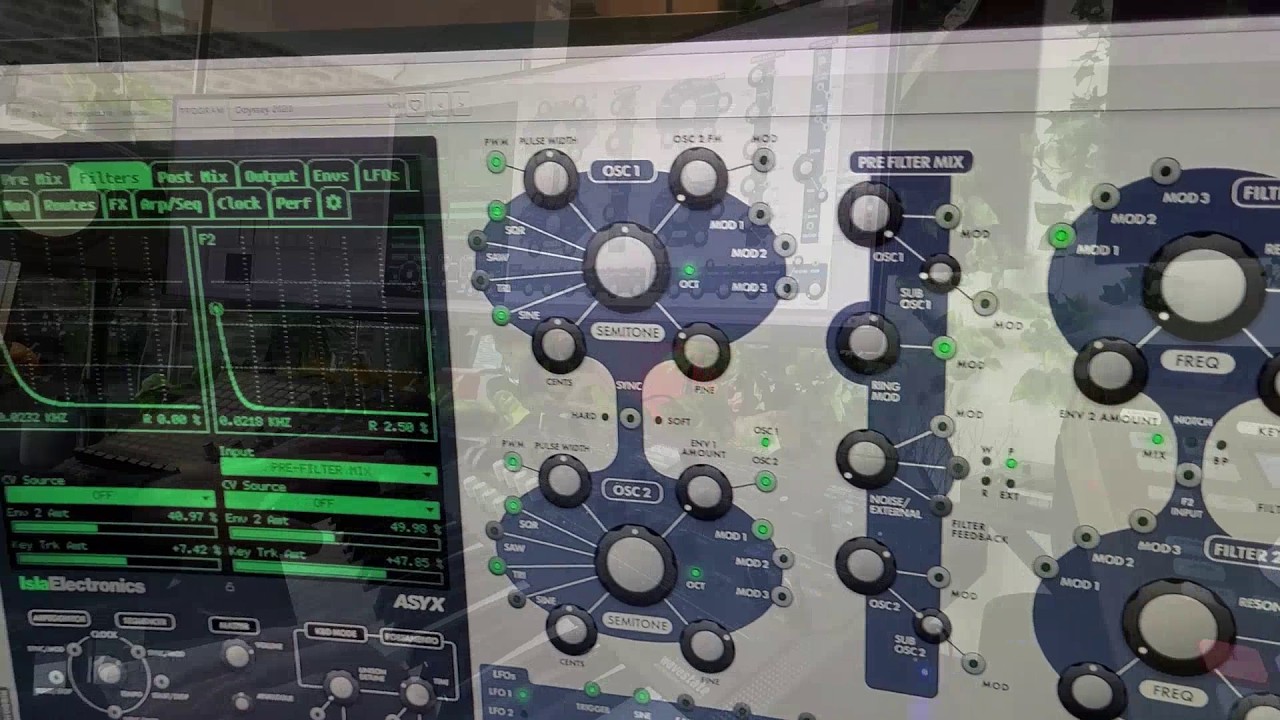
My first teaser on YT based on my “moviescore” soundpack.
1 Like
Bug: Cannot import Don Solaris preset pack. It’s a Sysex file. Error mentioned in the corner of Browse programs: Invalid Program image
Maybe you can collaborate on the topic.
I have his vol1+vol2 bans they import as sysex just fine!
Not saying that you are wrong, it’s just to avoid degradation. Did you use 1.6?
/Robert