Hi all, I’m trying to recall S2400 patterns from Ableton Live 12 (macOS) over USB. The S2400 receives the messages but never changes pattern.
Firmware: UI Jul 13 2026 / AE May 21 2026
Settings
Clock Src: USB B
Control: Port USB B · Channel 16 · Device ID 2 · MMC Input Off · Echo On (also tried Off) · Pattern Chg ProgChg (also tried CC32)
USB B Jack: Notes Out On · Clock Out Off · MMC Out Off · Pattern Chg Out Off · Transport In On · Notes In On · Velocity In On · CC In Off
What the MIDI Monitor shows
Program Change from Live: U Prog Chg 16 0, U Prog Chg 16 3 and U Prog Chg 16 127
With Pattern Chg set to CC32: U Ctrl Chg 16 0 0 followed by U Ctrl Chg 16 32 1
What happens: the display stays at P:01 every time. Patterns 01 and 04 both exist and have content.
What I’ve tried
ProgChg and CC32 modes
Value 127 (documented as “next pattern”)
Clock Src USB B, and Internal with the S2400 playing on its own clock
Transport stopped, and playing through 2 or more loops
Restarting the S2400 and reconnecting USB
Clock, transport and notes over the same USB connection all work fine.
Is there a mode or screen the S2400 needs to be in to accept pattern changes, or is this a known bug? I’ve not tried midi din as I don’t have a cable handy.
Has anyone got it working over USB or DIN on current firmware? Thanks!
Thanks for getting back to me Brad. I’ve gone through pages 71–73 and my settings match, but the S2400 still won’t change pattern from MIDI.
Firmware: UI Jul 13 2026 / AE May 21 2026
S2400 settings
Clock Src: USB B (I also tried Internal)
Control Settings: Port USB B · Channel 16 · MMC Input Off · Echo Off · Pattern Chg ProgChg (I also tried CC 32)
USB B Jack: Notes Out On · Clock Out Off · MMC Out Off · Pattern Chg Out Off · Transport In On · Notes In On · Velocity In On · CC In Off
Global Settings: Pattern Change @ [EOP / EOM]
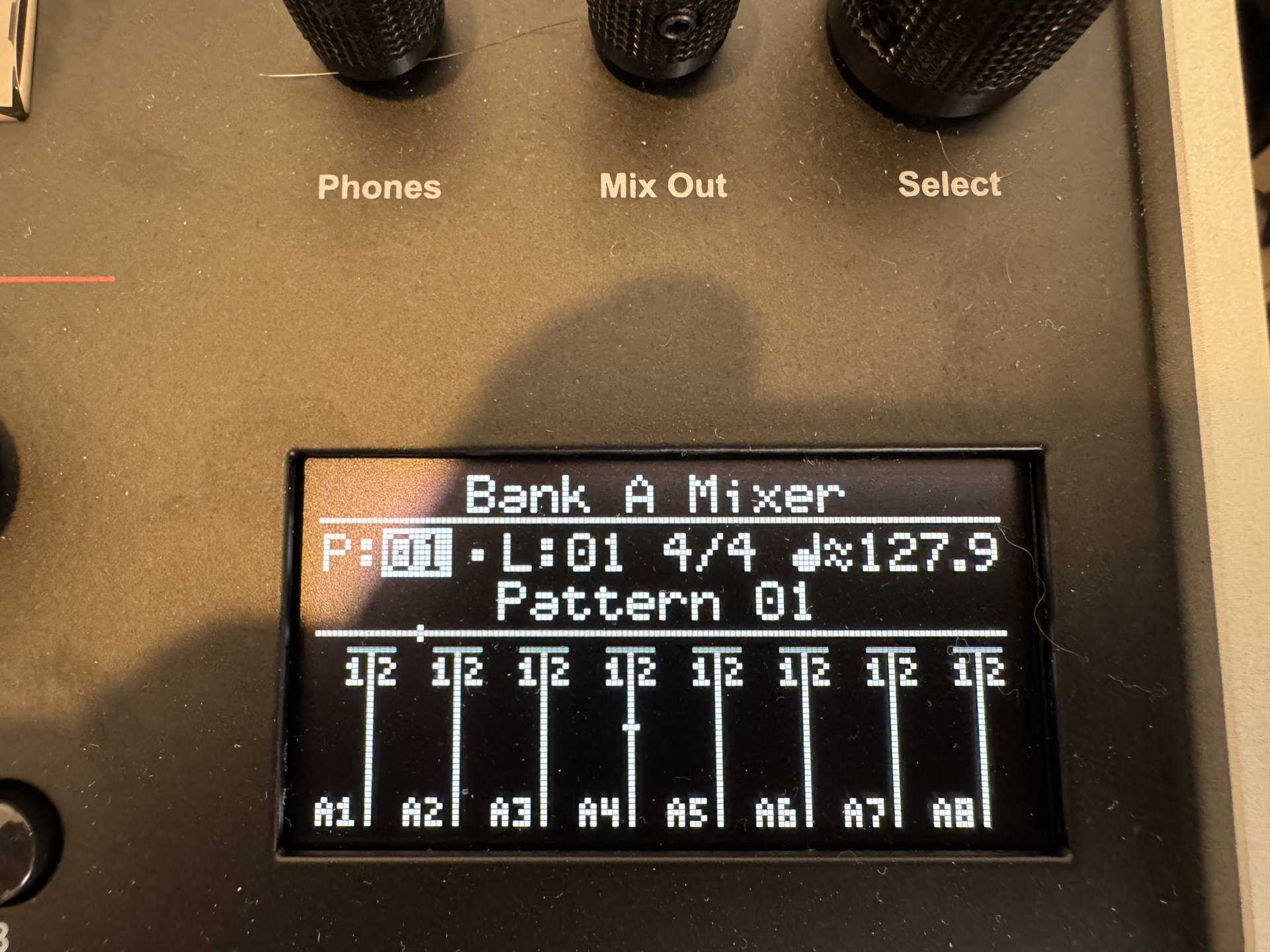
Patterns: P01, P02, P03 and P04 all have different content. The S2400 is in pattern mode on the home screen, with P:01 highlighted and playing on the external clock (photo attached).
What I’m sending: Program Change on channel 16 from a MIDI-only track in Ableton Live 12, with no Bank or Sub. The S2400’s MIDI Monitor shows each one arriving: U Prog Chg 16 1, 2, 3, 4, and 127 for next pattern. With Pattern Chg set to CC 32 it shows U Ctrl Chg 16 32 n.
What happens: the display stays on P:01 and the audio doesn’t change, even after several loops.
What I’ve tried, all with the same result
Pattern Chg set to ProgChg and to CC 32
Value 127 (next pattern)
Clock Src USB B and Internal
S2400 stopped, and playing
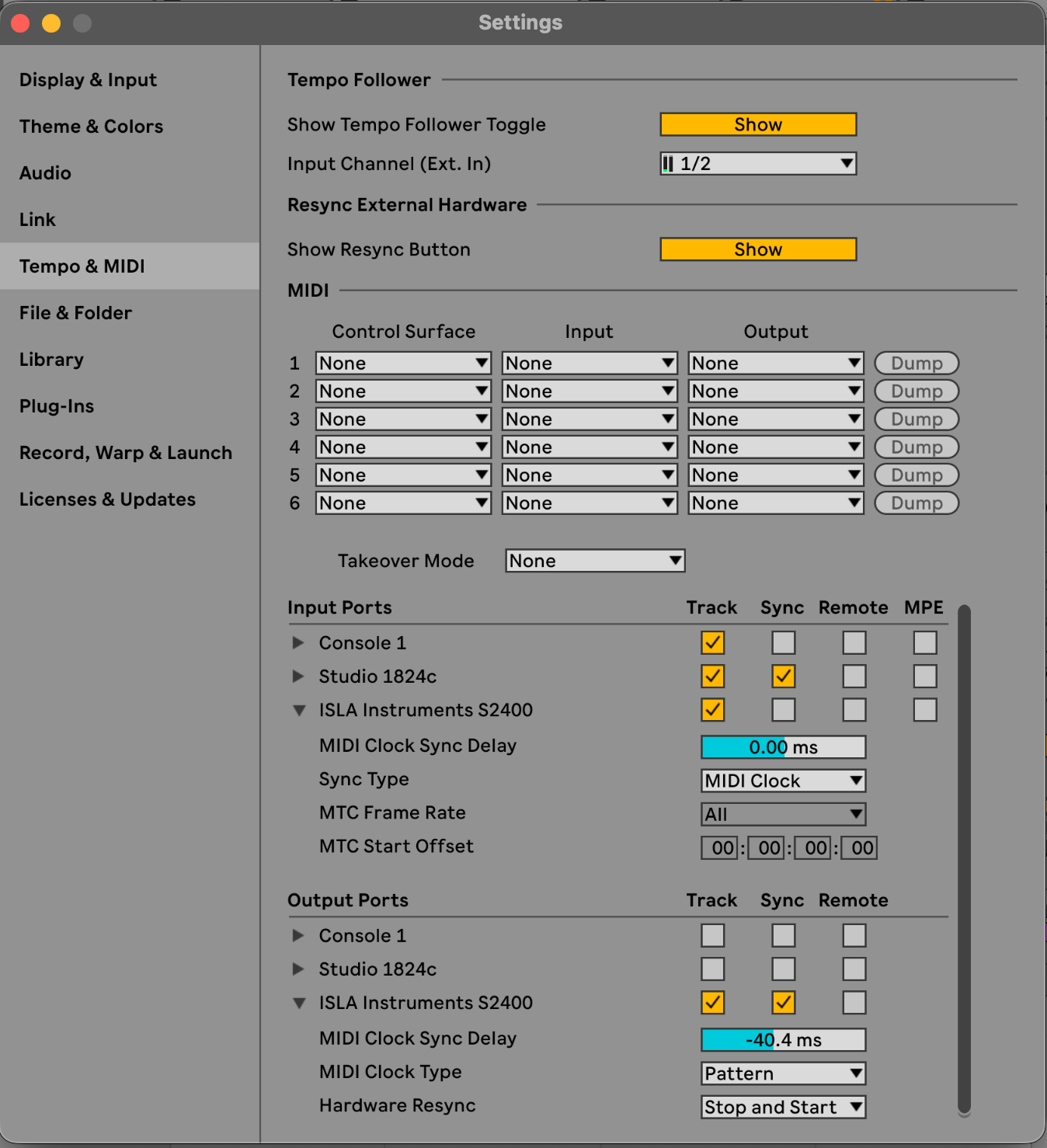
Ableton’s MIDI Clock Type set to Song and to Pattern
Power-cycling the S2400 and reconnecting USB
Changing pattern by hand from the number keys while playing works. Clock, transport and notes over the same USB connection all work fine.